

Remote CCTV is a good idea.
It still has to work on site.
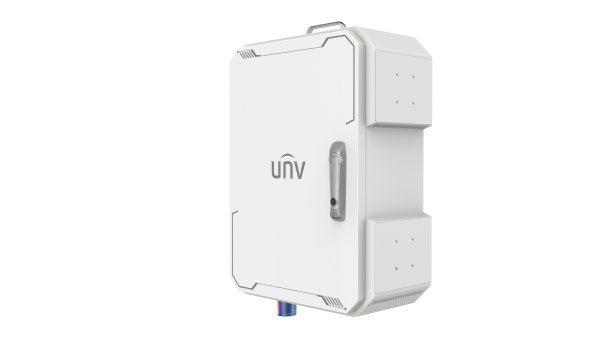
The Smart Management Box was built around a useful problem: getting CCTV into locations where conventional power, networking and infrastructure are difficult.
We have been testing the system in real deployment scenarios. Rather than push something before we are completely happy with how it fits UK installations, we are currently reviewing the solution with Uniview.
Some places need CCTV long before they have infrastructure.
Construction sites, temporary compounds, remote yards and isolated assets can all need surveillance where installing a conventional CCTV system is difficult or disproportionate.
No convenient mains power
Running a permanent supply may be expensive, slow or simply unrealistic for a temporary location.
No fixed broadband
Remote monitoring still needs connectivity, even when conventional internet services do not reach the site.
Difficult access
Every return visit costs more when the installation is remote, temporary or spread across multiple locations.
Temporary requirements
Sometimes the security requirement lasts months rather than years, so permanent infrastructure does not make commercial sense.
Bring the infrastructure to the camera.
Smart Management Box brings power management, networking, device mounting and remote monitoring together around the CCTV equipment rather than relying on a conventional building installation.
Manage the power
The enclosure is designed to manage power for the connected CCTV and networking equipment.
House the equipment
Cameras, networking components and supported accessories can be mounted around a single managed enclosure.
Watch it remotely
Supported systems can report device and enclosure status remotely, helping you identify problems without treating every fault as a site visit.
Recover from faults
The platform supports power control and automatic restart functions for connected network equipment.
A remote CCTV system has to work outside the brochure.
Power availability, connectivity, installation method, environmental conditions and the equipment fitted all change what a suitable remote system looks like.
Pick a box and hope it suits the site.
Remote sites vary too much for us to pretend one configuration is automatically right for every project.
Start with the site and build backwards.
Tell us what you need to protect, where it is, what power and connectivity exist and how long the system needs to run. We can then look at the right approach with you.
These are the things we need to know first.
Tell us what you're trying to protect.
If you've got a project with awkward power, networking or access, send us the details. We'll help you work through the practical options before you commit to hardware.