

Get the camera running.
Before the network is ready.
Power the camera. Create your own WiFi network. Connect your phone. Live view, configure and test.
The Uniview Connect Box gives you a portable commissioning setup you can carry onto site and use without waiting for the customer's network, router or IT department.
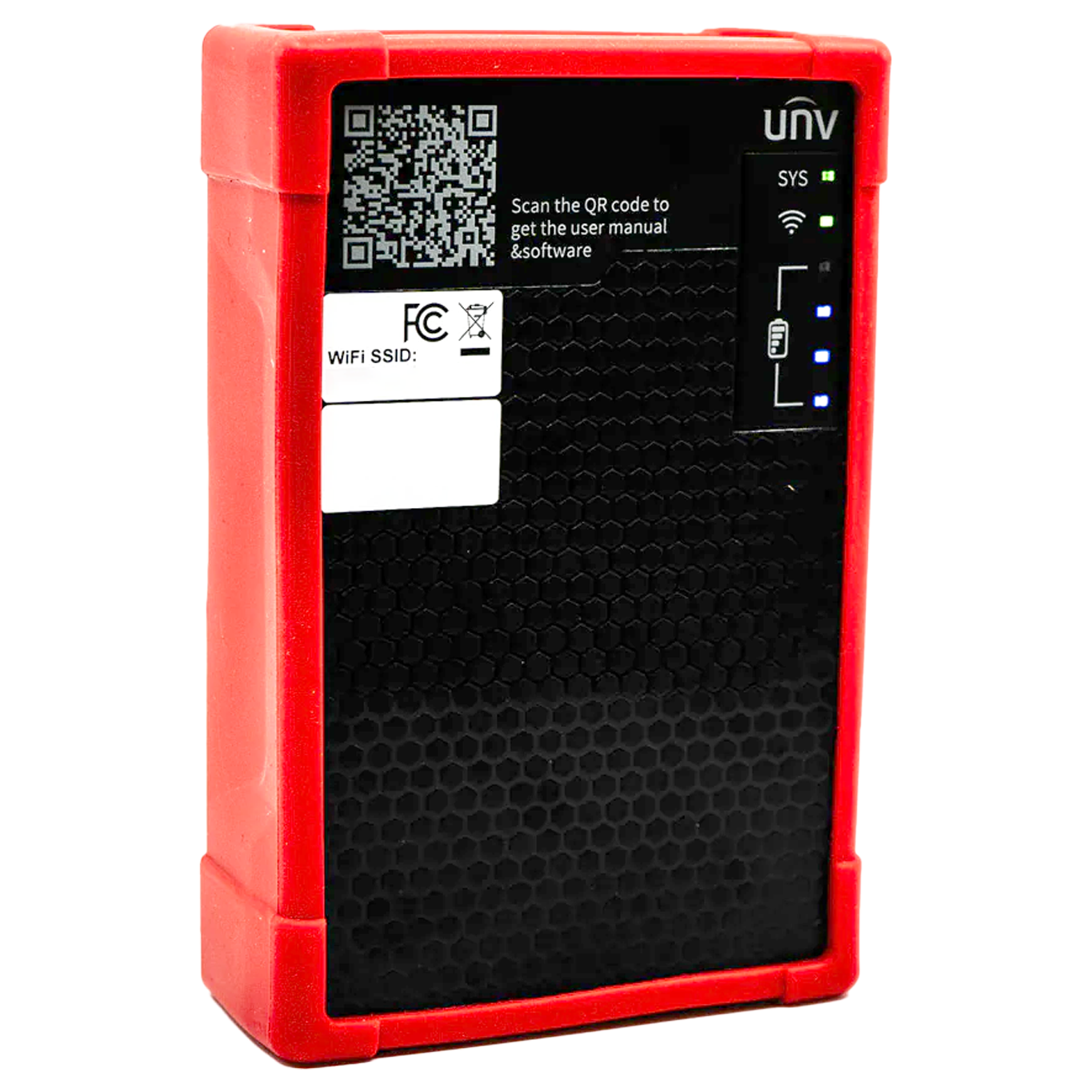
This earns its place when the site isn't ready for you.
The camera can be fitted and waiting while the router is still in a box, the customer has forgotten the WiFi details or the network team hasn't finished their part of the job.
First fix commissioning
Power and configure the camera before the permanent network is available, rather than leaving setup for another visit.
Service calls
Isolate the camera from the customer's network, power it yourself and find out whether the problem is the device, power or infrastructure.
Camera setup at the bench
Power, view and configure cameras before they are installed so more of the setup is already done when you arrive on site.
Customer demonstrations
Power a camera and show the live image without building a temporary network just to demonstrate what you are proposing.
A temporary network that comes with you.
The useful bit is how quickly it gets you from an unpowered camera to something you can actually work on.
Plug in the camera
Use the Connect Box PoE output to power a compatible camera, or use the 12V output where the device needs DC power.
Join its WiFi
Connect your phone to the Connect Box hotspot and you have a local route to the devices plugged into it.
Open UNV Link Pro
Find the connected camera, view the image and get into the settings without needing the customer's permanent network.
Configure and prove it
Check the image, change network settings and confirm the camera works before it becomes part of the finished system.
It is about removing dependencies from the job.
You need the rest of the site to cooperate.
Power needs to be there. The network needs to be live. You need access to it. Then you can start finding, viewing and configuring the camera.
You bring the bits you need with you.
Battery power, PoE, local networking and WiFi are already in your hand. Plug the camera in and start working.
Find out whether the problem is power, network or camera.
When a camera is down, proving what is actually wrong is often more valuable than having another tool that tells you something has failed.
56V
Voltage detection
Check PSE or DC voltage on site without reaching for a separate tester first.
Power the camera yourself
Take the existing switch out of the equation and see whether the camera behaves properly from your own supply.
Prove the video
Find the connected camera in UNV Link Pro and check the live image from your phone.
Check and change network settings
Identify connected Uniview devices and adjust network settings before they are put onto the customer's system.
Small enough to carry. Useful enough to keep with you.
Put it in the van. Wait for the awkward site.
You don't need to redesign the way you install CCTV around it. Just take it with you.
The first time the customer's network isn't ready, it starts earning its space in the tool bag.
One portable box for powering, connecting, configuring and checking Uniview cameras on site.
VIEW CONNECT BOX →A few useful things to know.
Does the Connect Box need the customer's internet connection?
No. It creates its own local WiFi network so your phone can communicate with compatible devices connected to the box. That is what makes it useful before the permanent site network is ready.
Can it power a camera?
Yes. It provides a PoE output for compatible devices and a 12V DC output for equipment that needs a separate DC supply.
Can I use it for fault finding?
Yes. You can test PSE and DC voltage, provide your own power to the camera and connect directly to it. That gives you a practical way to separate a camera fault from a network or power problem.
What can I do through UNV Link Pro?
Once your phone is connected to the Connect Box WiFi, the app can discover connected Uniview devices, show live video and give you access to settings including network and image configuration.
Is it only useful during a new installation?
No. Commissioning is only part of it. The same portable setup is useful for service visits, fault finding, camera demos and preparing devices before you fit them.
Bring your own network to the next job.
Power the camera, connect your phone and get the commissioning work done without depending on the rest of the site being ready.